
Active Pro, Pro Plus and Max members can use Batch Subdomain Search and Batch Reverse IP Search. Enter one target per line, up to 10 non-empty lines. Blank lines are ignored and equivalent duplicates are merged. Advanced Search does not support multiline batches.
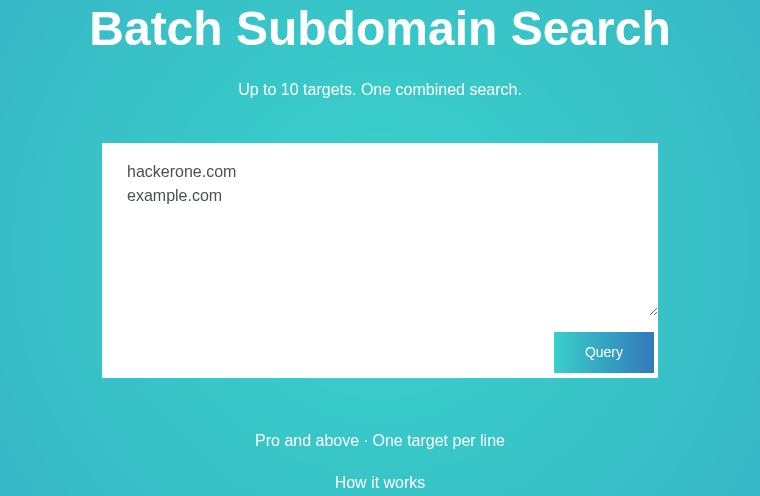
One query, combined results
All targets are combined with OR in a single Elasticsearch search per page. Subdomain search keeps each root domain and suffix paired together. IP/CIDR conditions are matched together; an indexed record matching overlapping ranges appears only once in the combined response.
Subdomain accepts root domains such as example.com and example.co.uk. Batch Reverse IP accepts IPv4, IPv6 and CIDR ranges. Hostname-to-IP expansion requires an additional lookup, so use single Reverse IP Search for hostname inputs.
Results are displayed in one table, newest first, with 100 records per page and a 10,000-record window for the entire batch. Counts are capped at 10,000 and marked with a plus sign when more records exist. Dates use YYYY-MM-DD. Each page consumes one normal search request under the existing account allowance. Successful pages may be reused for up to 60 seconds. Results may move between pages as records are updated.
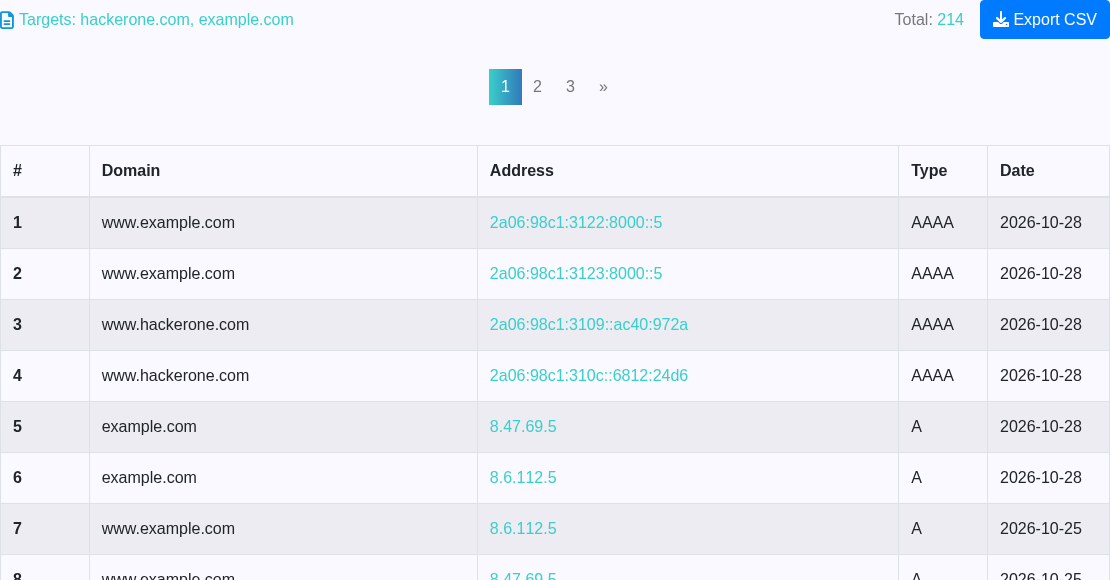
Export batch results
After a successful search, select Export CSV beside the total. Choose how many records to export, optionally name the file, and select Compress as ZIP for a compressed download. The export uses the targets from the displayed results; editing the input alone does not change those targets.
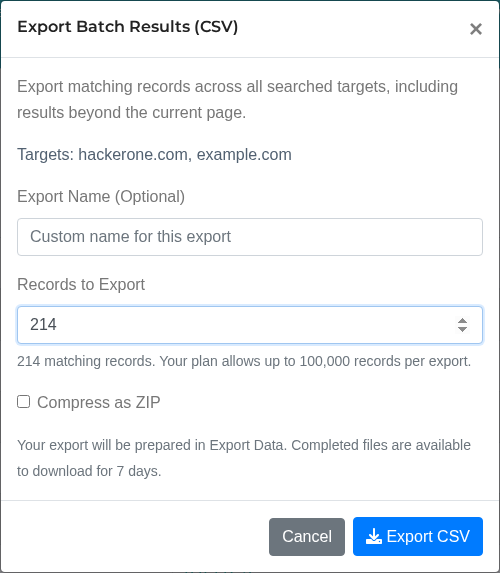
Exports include matching records across the entire batch, beyond the current page and the 10,000-record browsing window. The combined export limit is 100,000 records for Pro, 300,000 for Pro Plus and 1,000,000 for Max. If the total shows a plus sign, the export dialog defaults to your plan limit; otherwise it defaults to the displayed total or your plan limit, whichever is lower. You can choose a smaller positive number.
The CSV contains Domain, Address, Type and Date, newest first. Overlapping targets do not duplicate an indexed record, while separate recorded observations remain separate rows. The export reads a snapshot when the background task starts, so newly collected data can differ from the earlier search results.
After submission, Export Data shows progress and provides the download when ready. Completed files remain available for 7 days. If a task fails, use Retry on that page. Incomplete searches are marked as failed instead of producing a partial download.
Availability
Invalid input is rejected before searching. The browser submits one request for the full batch, not one request per target. Temporary service rejections are retried automatically up to twice with a short backoff and a bounded waiting time; every attempt keeps all targets combined. If the search service remains unavailable or returns incomplete results, an error is shown; it is never presented as an empty successful result. A failed new query or page request leaves any previous successful result visible with an explicit notice.
Batch queries, results-page requests and export submissions share the API allowance of 60 requests per minute per public IP. This is one shared allowance with API searches and other data requests, not a separate limit for each target or account. Cloudflare enforces this limit before requests reach RapidDNS and returns an HTTP 429 error asking you to wait 60 seconds. The already-open batch page can display that returned error; the blocked request itself does not reach our server. Account search and export allowances still apply. See rate limits and exceptions.